


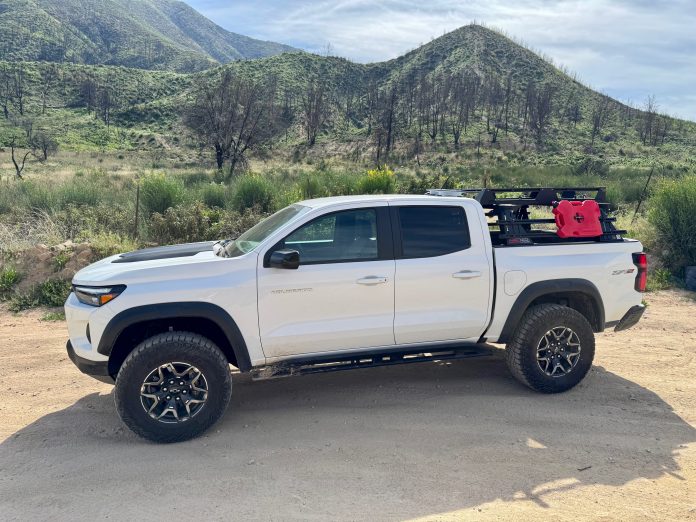
Quick Facts:
- Topic: Starlink Mini in motion, meaning using it while the vehicle is moving.
- Short answer: Yes, on a Roam plan, up to 100 mph, with Mini named as supported hardware.
- Plans allowing it: Roam 100GB at $55, Roam 300GB at $80, Roam Unlimited at $175 per month.
- Plans forbidding it: Every Residential tier.
- Speed ceiling: 100 mph, or 160 km/h, in authorized locations.
- Hardware cost: $199 outright, or $16 per month across 12 months, totalling $192.
- Power: Native 12V to 48V DC, so no inverter is needed.
- Official draw: Starlink publishes 20 to 40W average, and 15W idle.
- Penalty for breaking the rules: The limited warranty excludes unauthorized in-motion use.
- Verified: Plan names and prices checked against starlink.com on August 8, 2026.
12 min read
In This Guide
- Starlink Mini In Motion: The Short Answer
- Which Plans Permit In-Motion Use
- Already on Residential? What to Do
- Is Starlink Mini Approved for In Motion?
- Mounting for Highway Speeds
- Power Draw From a Vehicle System
- What In-Motion Testing Shows
- The FCC Angle and What It Means for You
- Final Verdict on Starlink Mini In Motion
- Starlink Mini In Motion FAQ
Starlink Mini In Motion: The Short Answer
Running a Starlink Mini in motion is permitted, and Starlink names the hardware explicitly. However, the gate is your service plan rather than your dish. A Roam plan allows movement, while every Residential tier forbids it, and the ceiling sits at 100 mph in authorized locations. The US also sits on Starlink’s approved list for in-motion use.
Much of what circulates online is out of date, because SpaceX has repriced and renamed these plans repeatedly. For example, one persistent claim holds Mini is stationary-only hardware. Starlink’s current in-motion documentation lists Mini among five supported kits, so the claim has been wrong since shortly after launch.
Everything below reflects starlink.com as it read on August 8, 2026. Plan names and prices in this category change several times a year, so re-check them before you buy. For the gear side of a Mini build, our roundup of tested Starlink Mini accessories covers mounts, cables and cases.
Which Plans Permit In-Motion Use
Starlink Roam plans are the answer, and the plan question decides everything else. Starlink’s own wording is unambiguous. Roam, Local Priority and Global Priority plans support in-motion use up to 100 mph in authorized locations, while in-motion use is not permitted on any Residential plan.
| Plan | Price per month | Data | In motion? |
|---|---|---|---|
| Roam 100GB | $55 | 100GB, then unlimited at low speed | Yes |
| Roam 300GB | $80 | 300GB, then unlimited at low speed | Yes |
| Roam Unlimited | $175 | Unlimited | Yes |
| Residential 100 Mbps | $55 | Unlimited | No |
| Residential 200 Mbps | $85 | Unlimited | No |
| Residential Max | $130 | Unlimited | No |
Notice the trap in rows one and four. Roam 100GB and Residential 100 Mbps both cost $55, although only one of them lets you drive. Consequently buyers who shop on price alone land on the wrong side of the line regularly. For the wider pricing picture across tiers, our full Starlink plan pricing breakdown covers what each level buys.
Sizing the Data Allowance
Data allowance decides which Roam tier fits, and the gap between $55 and $175 is worth understanding first. As a rough guide, an hour of standard-definition streaming runs near 1GB, high definition near 3GB, and 4K near 7GB. Video calls land between 0.5GB and 2GB per hour. Two people working remotely with light video therefore live inside 100GB comfortably. One household streaming evening television does not.
Two Changes Stale Articles Still Miss
The in-motion speed ceiling is now 100 mph, which Starlink publishes directly. Reporting from Mobile Internet Resource Center in March 2026 recorded the change as a reduction from a previous 450 mph limit. We found no Starlink statement confirming the history, so treat the older figure as secondary sourcing.
Standby Mode is the second trap. Starlink now states Standby is not intended for in-motion use, so a cheap Standby subscription no longer covers Starlink while driving. Anyone planning around older advice needs a different plan.
Already on Residential? What to Do
Most people reading this already own a Mini and already pay for a plan. If yours says Residential, here is the situation in order.
The consequence sits in Starlink’s warranty terms rather than in a technical cutoff. The limited warranty excludes in-motion use with kits and services not authorized or designated for it. Separately, the terms of service warn in capital letters about an unauthorized kit or an unauthorized country. The clause covers a different situation, and it does not describe a US owner on the wrong plan.
Read what those documents do and do not say. There is no published geofence cutoff, no automatic bill change and no documented service degradation for moving on Residential. So the practical exposure is warranty coverage rather than a dropped connection mid-drive.
Changing plans happens in your Starlink account or the mobile app, under your service line. Billing behavior on a mid-cycle change is account-specific, and Starlink does not publish one universal rule. So check what your account shows before confirming, and check whether switching back later returns you to the same price. Roam also supports pausing service by the month, which suits seasonal travel better than cancelling.
One further point matters on a long trip. Residential service ties to a registered service address, so performance away from home is a separate question from the in-motion permission. Roam is the plan built for travel, and moving to it resolves both issues.
Is Starlink Mini Approved for In Motion?
Yes, and it deserves stating plainly because the opposite claim is everywhere. Starlink’s in-motion documentation lists five supported kits under its hardware and warranty section, and Mini is one of them.
| Hardware | Starlink’s position on in-motion use |
|---|---|
| Starlink Mini | Supported, named in the list |
| Standard 4 and Standard 4 X | Supported |
| Performance Gen 2 and Gen 3 | Supported |
| Actuated, motorized dishes | Not recommended |
| V5 | Not intended for in-motion use |
One specification rewards reading carefully. Starlink rates Mini as operational in 96 km/h winds and above, written as a floor with a plus sign rather than as a ceiling. So the dish itself is not the weak link at highway speed.
The mount is. Starlink states plainly its mounts are not designed for high winds, and it directs owners to use tethering in all cases. Anyone running a Mini at 75 mph is working past what the standard mount promises, and a tether is the manufacturer’s own answer.
A second detail matters for anyone leaving the dish out in weather. Starlink’s own specification sheet notes the product is no longer rated IP67 with a standard RJ45 cable. So the weather rating depends on which cable you run, and the nuance rarely appears in reviews.
Mounting for Highway Speeds
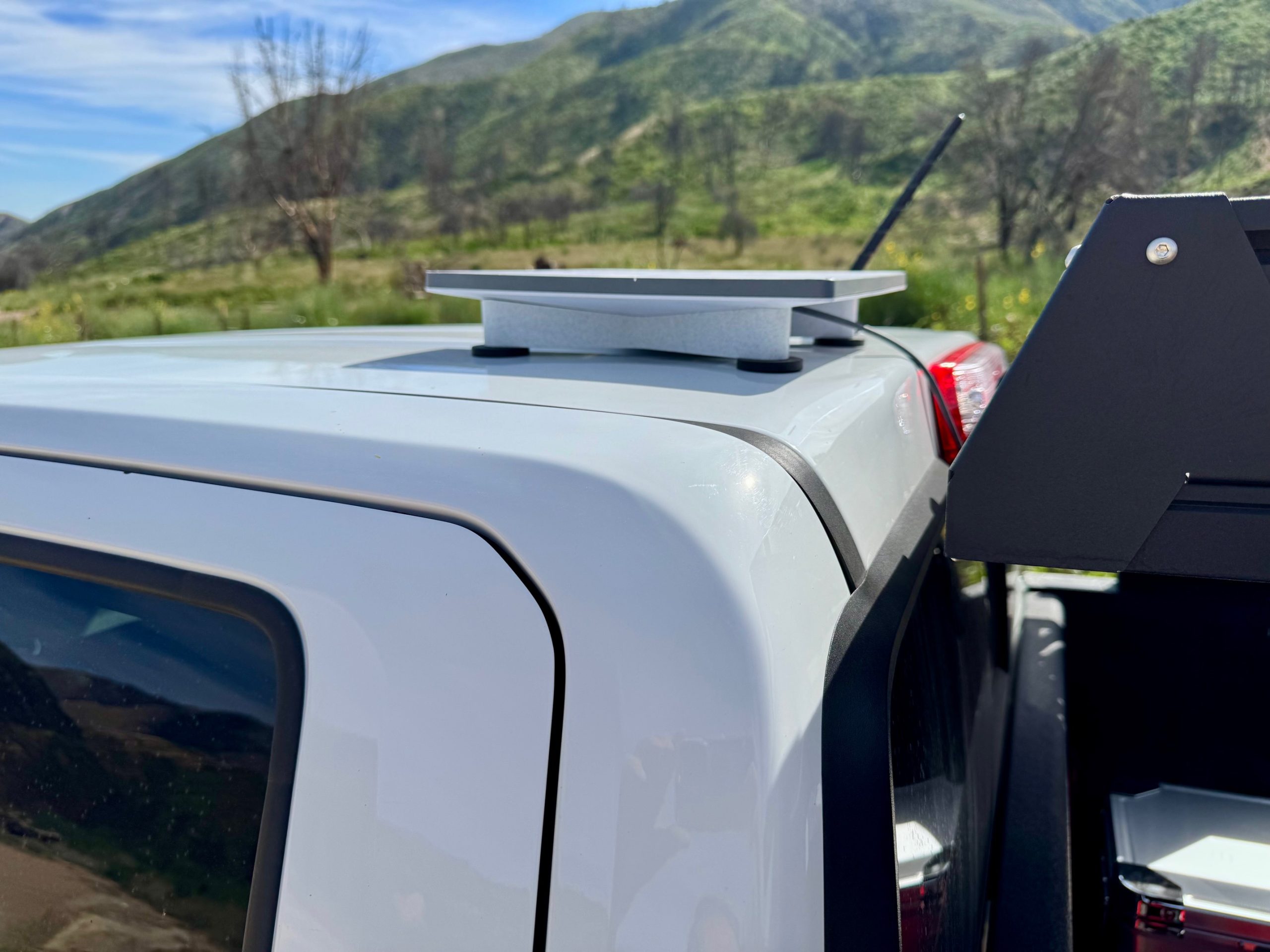
Mounting is where in-motion use stops being a subscription question. A dish on a roof at highway speed sees aerodynamic lift, vibration and thermal load at once, and the mount has to handle all three.
| Mount location | Holds at highway speed? | Thermal behavior |
|---|---|---|
| Roof rack, bolted, with airflow beneath | Yes, and the only mechanically positive option | Best, since moving air cools the housing |
| Magnetic roof mount | Only with a tether, per Starlink’s own guidance | Good |
| Rear ladder or spare tire carrier | Yes if bolted, though sky view suffers | Acceptable, though it sits in dust and exhaust |
| Inside the cabin, under glass | Nothing to detach, and one tester held 99.4% ping success | Riskiest in summer heat |
The table above ranks mounts on our reading of Starlink’s own mount guidance and the published testing, rather than on measurements of each option. Thermal limits, by contrast, are published. Starlink lists Mini’s operating range as minus 30 to 50 degrees C, printed alongside minus 22 to 122 degrees F. A dish behind glass in Arizona in July climbs toward the top of the range on its own, before the electronics add anything.
The Magnetic Mount, in Specifics
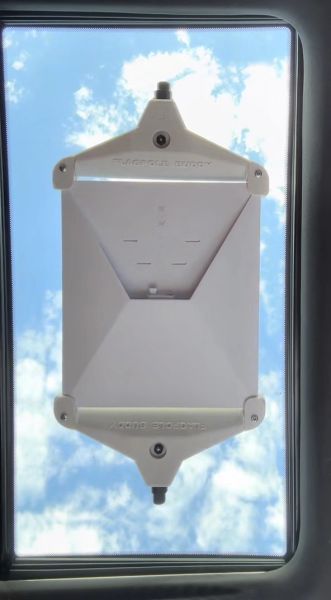
FlagPole Buddy’s Mini Starlink Flat Mt is the low-profile magnetic option in the line. It uses four 2.5 inch magnets rated at 65 pounds each, on a 3D printed PETG body. The company specifies the material as corrosion and temperature resistant, which matters on a part living in road spray and summer heat. Magnets need a steel roof, so aluminum-bodied trucks and fiberglass RV roofs need the flush or suction variant instead. FlagPole Buddy also sells two swivel-head magnetic mounts for the Mini.
The company states it on the product page: mount the Mini flat to your vehicle for stationary or in motion use. Its only speed guidance is a note against driving over posted speed limits, plus two install instructions worth heeding at speed, forward facing and behind a wind break where possible. Warranty runs two years. The mount ships without a tether, so add one yourself.
From experience: Alex Schult, who owns 4wdTalk, runs the FlagPole Buddy Mini Starlink Flat Mt, magnet option, on his truck. The mount has lived on the roof for the last two to three months and comes off only for the car wash. It stays planted, and it is the only Starlink mount he uses. FlagPole Buddy is a 4wdTalk partner.
For the rest of the category, our roundup of magnetic mounts for overlanding trucks covers roof material, installation and what each style suits.
Power Draw From a Vehicle System
Mini’s electrical story is unusually friendly for vehicle use. It accepts 12V to 48V DC natively, so no inverter is required, and Starlink sells a car adapter running off a standard 12V outlet. Anyone told a Starlink for car install needs an inverter was reading old advice about a different dish. In short, a Starlink for car build is simpler than the forums suggest.
| Condition | Draw | Source |
|---|---|---|
| Average running | 20 to 40W, roughly 1.7 to 3.3A at 12V | Starlink published spec |
| Idle | 15W, roughly 1.25A at 12V | Starlink published spec |
| Measured in heavy rain | 43W hourly average | Independent tester, DISHYtech |
| Maximum input rating | 60W | Starlink published spec, not a measured surge |
| Continuous, 24 hours | 40 to 80Ah at 12V | Our calculation from the spec range |
Run those figures against a battery and the planning becomes concrete. A 100Ah lithium bank holds roughly 1,200Wh usable, which supports about 30 hours at 40W and about 60 hours at 20W, before any other load. Therefore leaving Mini running around the clock is a solar-and-alternator question rather than a battery question. Our Starlink Mini power draw writeup covers the consumption side in more detail.
One practical note for driving specifically. While the engine runs, the alternator covers Mini easily, so in-motion use is close to free electrically. The cost lands when you park and keep it powered.
What In-Motion Testing Shows
Independent in-motion testing of the Mini exists, although it is thinner than the topic deserves and much of it is a year or more old. Here is what has been published.
The most useful single test comes from DISHYtech, published November 18, 2024, covering a 170-mile drive. It recorded a parked baseline of 157.48 Mbps against roughly 50 Mbps at highway speed, using the same kit, mount and session. So it is a genuine moving-versus-parked comparison rather than two unrelated numbers. Connection stability held up better than throughput, with one two-second outage and ping success rates of 99.42% and 99.94%. Worth noting for the mounting section above: the run used an interior mount under a panoramic glass roof, in November.
More recent numbers run higher. Veritas Vans, a van conversion company with a commercial interest in the category, reported peaks near 215 Mbps and averages above 100 Mbps at 65 to 70 mph in 2026. The improvement is consistent with added constellation capacity since the 2024 run. Neither test publishes throughput under a quantified tree canopy, so the gap remains unfilled.
The mechanism explains the pattern. A phased-array dish tracks satellites electronically with no moving parts, so the physical act of driving does not disturb aim. Obstructions do. Consequently open highway produces steady service. A canyon or continuous forest canopy produces intermittent service instead, which no plan or mount improves. Plan on reliable connectivity across open country, and treat heavy tree cover as a place to stop and reacquire.
For the obstruction side of the problem, our guide to reading your obstruction map covers what the app is telling you.
The FCC Angle and What It Means for You
A transmitting satellite terminal on a moving vehicle is a regulated thing, and the regulation is real. A driving Starlink operates as an earth station in motion under 47 CFR 25.228.
However, the obligations land on SpaceX rather than on you. Specifically, the rule assigns the 100-millisecond transmission cutoff requirement, the network control monitoring center and the 24-hour shutdown contact to the operator. Starlink’s own specifications document notes US in-motion authority is granted on a non-interference protected basis, which is a licensing detail rather than a driver obligation.
We found no state law or federal transportation rule written specifically for a roof-mounted satellite dish. Proving a negative across 50 states is beyond any research pass, though, and ordinary law still applies. Load securement statutes and vehicle height limits reach a roof-mounted dish. Starlink’s own mobility mount guidance also tells owners to confirm the installation complies with local Department of Transportation regulations. Interacting with a screen while driving falls under normal distracted-driving law.
Safety note: Treat a roof-mounted dish as cargo rather than as an accessory. Starlink says its mounts are not designed for high winds, and it directs owners to tether in all cases. A dish leaving a roof at 70 mph becomes a road hazard for the vehicle behind you, and an unsecured load citation is the least of the consequences.
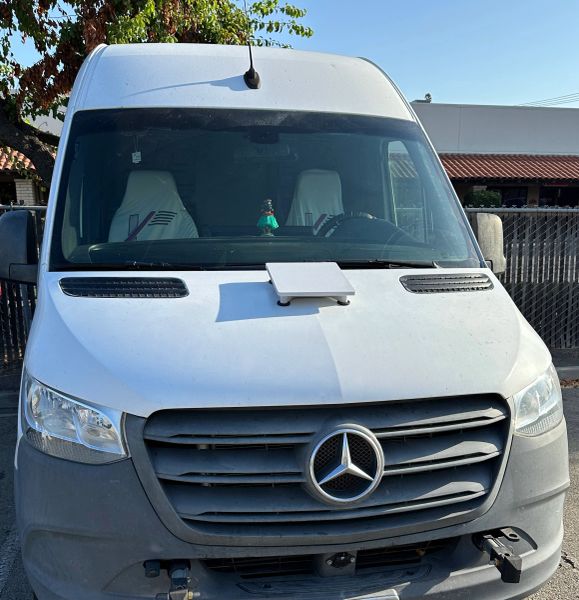
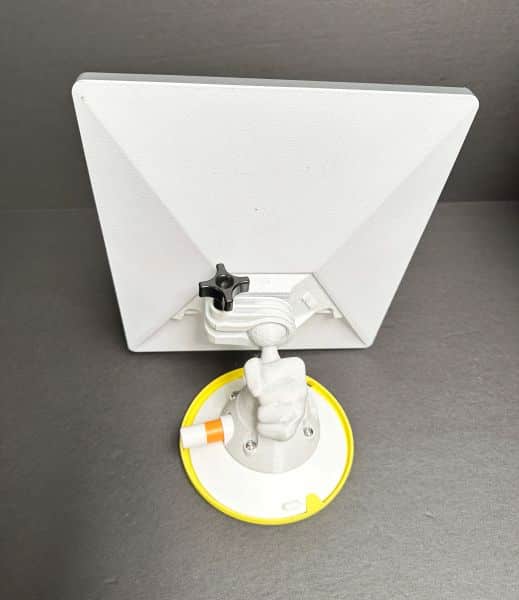
Mount Your Starlink Mini


Pros
- Explicitly permitted on Roam plans up to 100 mph.
- Mini is named in Starlink’s supported in-motion hardware list.
- Native 12V to 48V DC input, so no inverter is needed.
- 20 to 40W average, which an alternator covers while driving.
- Phased array with no moving parts, so driving does not disturb aim.
- Measured 99.4% and 99.9% ping success across a 170-mile drive.
- The entry Roam tier costs the same $55 as Residential 100 Mbps.
Cons
- Residential plans forbid it, and the limited warranty excludes it.
- Throughput drops sharply at speed, 157 Mbps parked against 50 moving in one test.
- Starlink says its mounts are not designed for high winds.
- Standby Mode is not intended for in-motion use.
- Operating range tops out at 50 degrees C, so glass mounting is risky in summer.
- IP67 rating lapses with a standard RJ45 cable.
- No published testing covers throughput under quantified tree cover.
Final Verdict on Starlink Mini In Motion
Starlink Mini in motion works, and the pieces line up better than the forum consensus suggests. The hardware is approved, the permitting plan costs the same as the forbidding one, and the dish runs natively off 12V. A phased array also has nothing to shake loose. Published testing backs it up, with ping success above 99% across a 170-mile drive.
The constraints are administrative, mechanical and thermal rather than about connectivity. Get the plan wrong and the warranty on a $199 kit no longer covers you. Mount it on a magnet without a tether and Starlink’s own guidance is against you. Park it behind glass in July and the operating range is against you. Drive under continuous canopy and nothing helps, because the sky is the problem.
On value, the entry Roam tier at $55 is the whole argument. It matches Residential 100 Mbps to the dollar while adding permission to move. Therefore anyone running a Mini in a vehicle has no reason to hold the stationary plan. Step up only if 100GB runs short, since $80 buys 300GB and $175 buys unlimited.
Before You Drive: The Plan Check
Two decisions before the trip. First, open your Starlink account and confirm the service line says Roam rather than Residential. Change it if not. Second, confirm what your account shows for billing on a mid-cycle change, since Starlink publishes no universal rule.
Before You Drive: The Physical Check
Three more at the vehicle. Mount on the roof with airflow beneath, bolted where possible and tethered where magnetic. Power it from 12V with the car adapter rather than through an inverter. Then budget 40 to 80Ah per day if it stays on while parked, which is a solar question.
Do those five and the system does what it claims. Meanwhile, for a comparison against terrestrial options, our writeup on Starlink Mini versus a cell booster covers where each one wins.
Starlink Mini In Motion FAQ
Can Starlink Mini be used in motion?
Yes. Starlink lists Mini among its supported in-motion kits, and Roam, Local Priority and Global Priority plans permit movement up to 100 mph in authorized locations. Residential plans do not permit it.
Can you use Starlink while driving on a Residential plan?
No. Starlink states in-motion use is not permitted on any Residential plan. The limited warranty separately excludes in-motion use with kits and services not authorized for it, so the exposure is warranty coverage rather than a service cutoff.
What are the current Starlink Roam plans?
As of August 8, 2026, Starlink Roam plans run three tiers: 100GB at $55 per month, 300GB at $80, and Unlimited at $175. The two capped tiers continue at reduced speed after the allowance. All three permit in-motion use.
Does a Starlink for car setup need an inverter?
No. Mini accepts 12V to 48V DC directly, and Starlink sells a car adapter for a standard 12V outlet. Starlink publishes an average draw of 20 to 40 watts, which works out to roughly 1.7 to 3.3 amps at 12V.
How fast is Starlink Mini while driving?
One 170-mile test recorded roughly 50 Mbps at highway speed against 157 Mbps parked with the same setup. A 2026 test reported averages above 100 Mbps at 65 to 70 mph. Expect steady service on open highway and dropouts under continuous tree cover.