


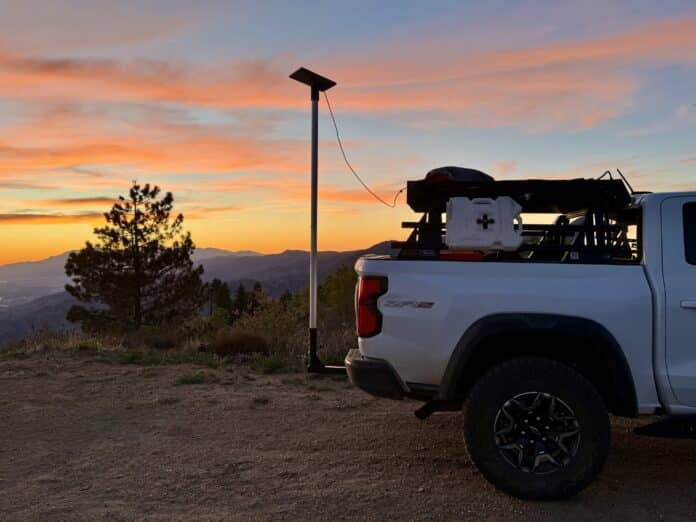

Quick Facts:
- Question: Does Starlink work in bad weather?
- Short answer: Yes. Rain, snow, and wind trim speed briefly, yet the link stays up in most storms.
- Rain impact: Heavy rain cut median download speed about 38% in a 2025 peer-reviewed test, while availability held above 98.5%.
- Snow handling: A built-in Snow Melt heater clears the dish up to 40 mm of snow per hour.
- Temperature range: Rated -30 to 50 C (-22 to 122 F) outdoors.
- Wind rating: Operational in 60 mph winds and above.
- Weak point: Hurricanes, full snow burial, and a blocked sky view, not ordinary storms.
- Best for: Overlanders, campers, and off-grid workers who need internet through changing weather.
11 min read
In This Guide
- Does Starlink Work in Bad Weather? The Short Answer
- Starlink Weather Ratings at a Glance
- How Rain Affects Starlink (Rain Fade Explained)
- Starlink in Snow and Ice
- Wind, Heat, Cold, and Lightning
- Does Starlink Work in Cloudy Weather?
- My Real-World Experience After Five Years
- How to Keep Starlink Online in Bad Weather
- Starlink Mini vs Performance in Extreme Weather
- Final Verdict: Does Starlink Work in Bad Weather?
- Frequently Asked Questions
Does Starlink Work in Bad Weather? The Short Answer
Does Starlink work in bad weather? Yes, and it works better than most people expect. Rain, snow, wind, and heat will trim your speed for a few minutes at a time. However, the connection itself stays up through nearly every ordinary storm. After five years of living off this dish on trails and at camp, I treat weather as a speed question, not an on-or-off question.
The reason sits in physics and in software. Starlink beams a high-frequency radio signal between your dish and satellites roughly 340 miles overhead. Dense rain and wet snow absorb part of this signal, so throughput drops. Yet SpaceX designs the hardware and the network to ride through this. As a result, you get short slowdowns instead of dead air.
This guide pulls together official Starlink ratings, a 2025 peer-reviewed field study, and my own seasons of use with the Starlink Mini. First, here are the numbers SpaceX publishes. Then I break down each weather type, share what I have seen firsthand, and give you five fixes to stay online when conditions turn rough.
Starlink Weather Ratings at a Glance
SpaceX publishes weather ratings for every dish. These numbers come straight from the official Starlink Mini specification sheet and the Starlink weather help center. Use them as your baseline before reading the storm-by-storm breakdown below.
| Specification | Rating |
|---|---|
| Environmental protection | IP67 Type 4 (dustproof, water-resistant) |
| Operating temperature | -30 to 50 C (-22 to 122 F) |
| Router and power supply | Indoor only, 0 to 30 C (32 to 86 F) |
| Wind speed | Operational at 96 kph+ (60 mph+) |
| Snow melt capability | Up to 40 mm per hour (1.5 in per hour) |
| Rain handling | Hydrophobic surface, low affinity to water |
| Lightning | Meets US NEC grounding requirements |
One detail trips up new owners. The dish itself shrugs off weather, yet the router and power brick are rated for indoor temperatures only. Therefore, keep those parts inside your rig or a dry case. Leave the dish out in the storm where it belongs.
How Rain Affects Starlink (Rain Fade Explained)
Does Starlink work in rain? Yes, with a short speed cost, so let us settle it with data. The effect you feel during a downpour is called rain fade. Rain fade happens when water droplets absorb and scatter the radio signal traveling between your dish and the satellite. Heavier rain means bigger droplets, and bigger droplets steal more signal.
How big is the hit? A 2025 peer-reviewed study from Finland’s VTT Technical Research Centre and the University of Oulu measured a Starlink terminal across clear and rainy days. During rain, median download throughput fell from 137 Mbps to 90.2 Mbps. Median upload dropped from 20.9 Mbps to 10.5 Mbps. In percentage terms, the researchers logged a 52% cut to upload and roughly a 38% cut to download.
Those numbers sound severe, yet two findings matter more. First, service availability stayed above 98.5% through the rain and high humidity. Second, latency held steady, so video calls and browsing felt normal even as raw speed dropped. The connection bent without breaking.
The study also caught the edge case. When rain intensity reached 12.5 mm per hour, the terminal logged six one-second outages over a two-minute window. Brief blips like these are the real face of heavy rain on Starlink. You notice a video buffer for a moment, then service returns on its own.
Earlier research lines up with these findings. For instance, a Canadian study found precipitation reduced average throughput by roughly 27%, while European tests measured a 30% drop under 4 to 5 mm of rain. Across every study, the pattern repeats. Rain lowers speed, yet the connection survives. Because the dish and the network share the load, you trade peak megabits for steady uptime.
SpaceX backs this up in its own help center. The company states moderate to heavy rain, snow, and hail produce momentary dropouts because of signal attenuation. So, does Starlink work in rain reliably? The field data says yes. Notably, the network also routes traffic around storm systems sitting over its ground stations. Because the satellites talk to each other with laser links, a storm in your area rarely stops the wider path to the internet.
Starlink in Snow and Ice
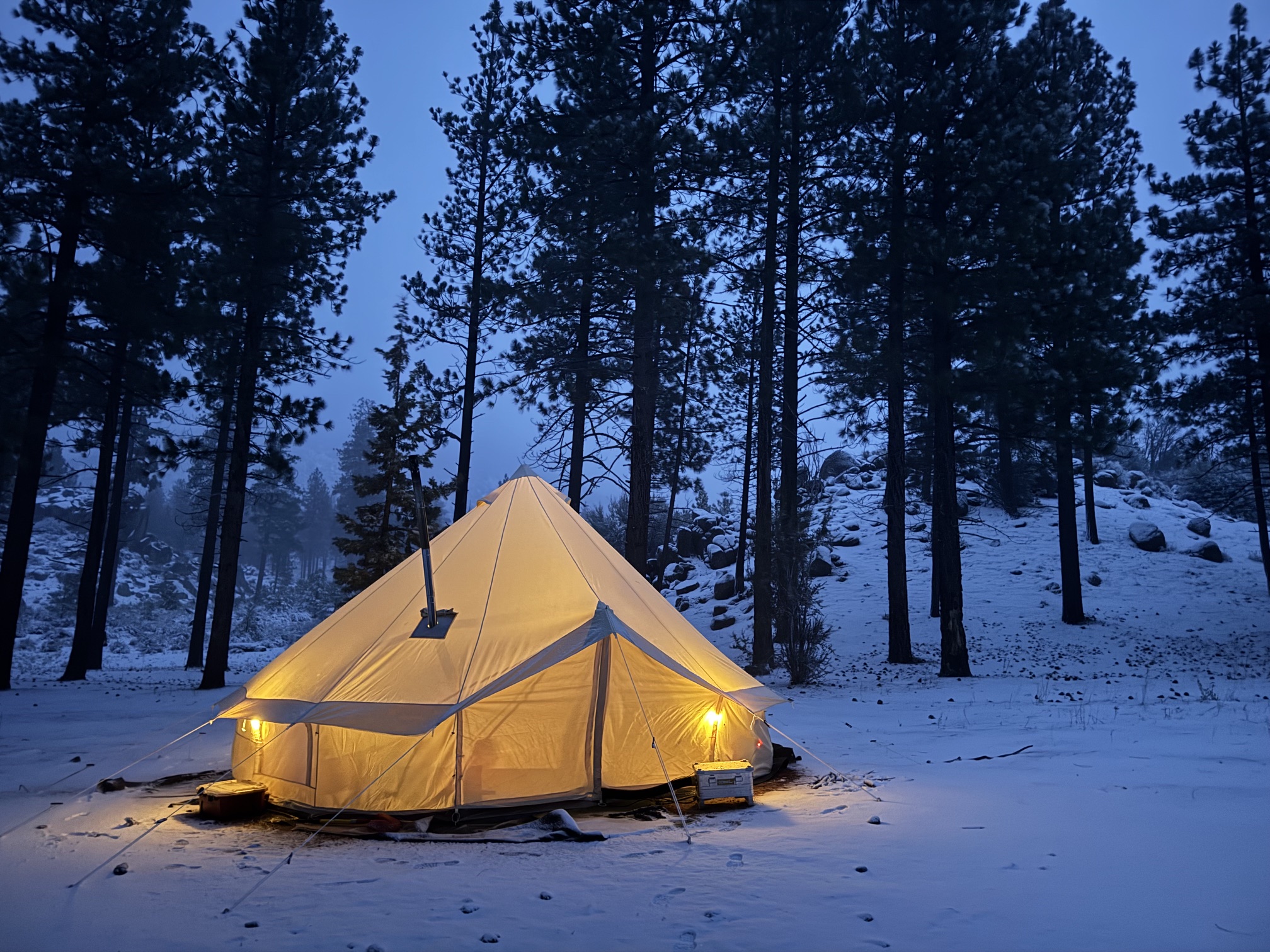
Snow worries people more than rain, and for good reason. A pile of wet snow on the dish blocks the sky view the same way a tarp would. SpaceX solved this with a built-in Snow Melt heater. Starlink snow defense starts here: the dish uses its own power draw to warm the face and melt snow before it accumulates.
The official rating is strong. Starlink Snow Melt clears falling snow at up to 40 mm per hour, which equals about 1.5 inches per hour. You control the behavior in the Starlink app under Settings, then Starlink, then Snow Melt. Three modes exist: Off, Automatic, and Pre-heat.
Automatic is the recommended setting because it heats only when sensors detect snow. Pre-heat keeps the dish warm to resist buildup, though it pulls more power. Since heating draws watts, plan your battery budget in winter. Our breakdown of Starlink Mini power draw shows how much the extra demand costs an off-grid setup.
Two warnings come from experience and from SpaceX. First, never chip ice off the dish with a pick or scraper, because you will crack the surface. Light icicles do not hurt performance, so leave them alone. Second, Snow Melt handles falling snow, not a foot of drifted snow burying a roof-mounted dish. If snow fully covers the face, expect intermittent service until you brush it clear with a soft tool.
Wind, Heat, Cold, and Lightning
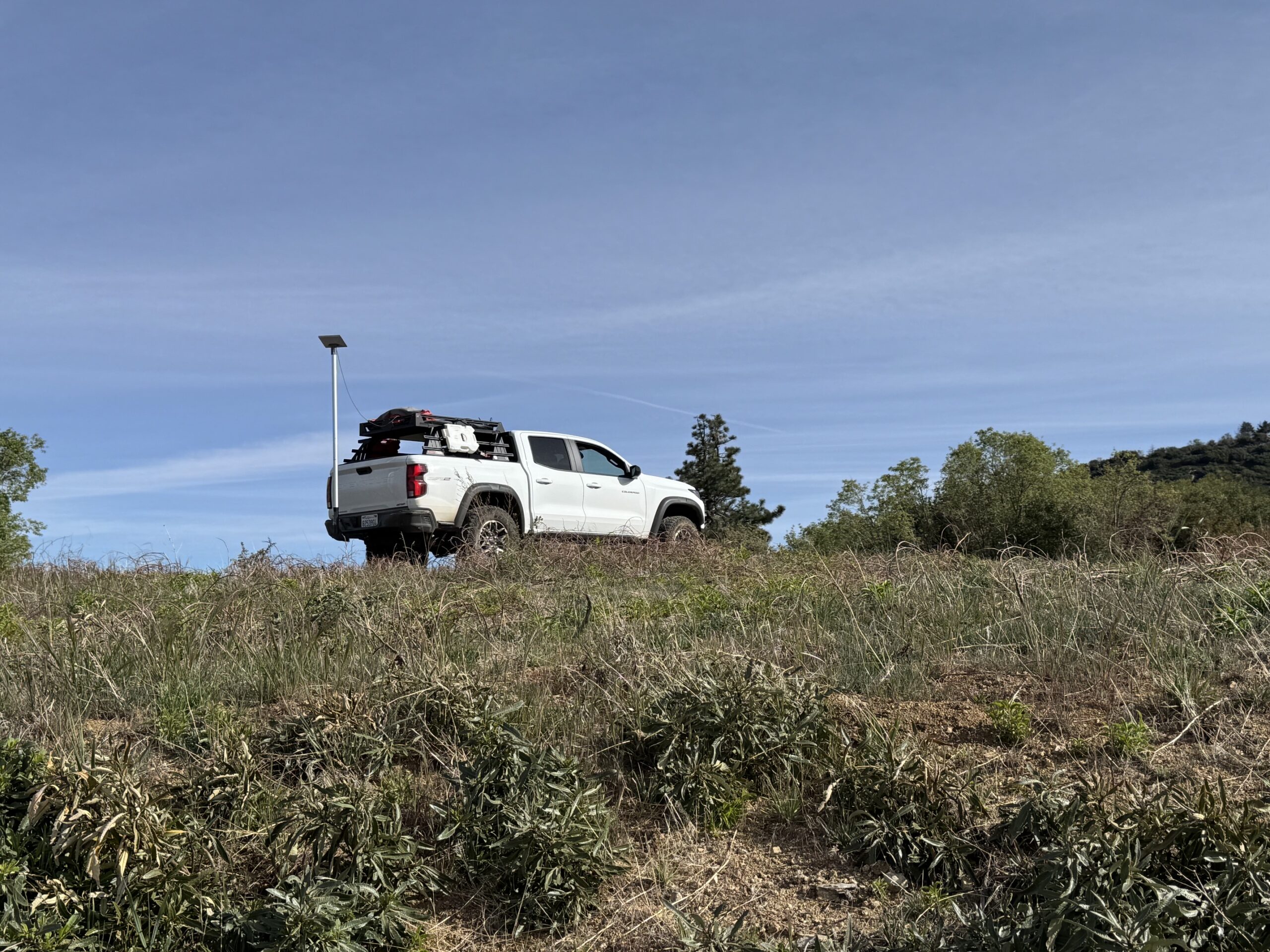
Wind rarely affects the signal, though it affects the mount. SpaceX rates the dish to operate in winds of 60 mph and above. The bigger risk is a gust knocking a poorly secured dish off level, which breaks the sky view. A solid mount matters more than the wind rating itself.
In addition, heat and cold sit inside a wide window. The dish operates from -30 C to 50 C, or -22 F to 122 F. I have run mine through desert afternoons and freezing mountain mornings without a temperature shutdown. During extreme heat or cold, SpaceX notes performance dips slightly, yet the link holds.
Lightning deserves respect. The dish meets US National Electrical Code grounding requirements, although a direct strike is still a hardware risk. For storm-prone regions, SpaceX recommends added lightning protection such as a ground rod or surge protector. When a serious electrical storm rolls in, unplug the system to protect it from power surges.
One more limit deserves a clear statement. Starlink is built for snow, hail, sleet, heavy rain, and extreme heat. It is not built for hurricanes, tornadoes, or other violent forces. In hurricane-force winds, SpaceX advises bringing the dish and cables indoors if you do so safely.
Does Starlink Work in Cloudy Weather?
Clouds cause the most confusion, so here is the plain truth. Does Starlink work in cloudy weather? Yes, and clouds alone barely register. Dry clouds hold little water compared to a rainstorm, so they absorb almost no signal. As a result, a gray overcast sky behaves almost like a clear one.
The Finland study measured this directly. Throughput showed a mild negative relationship with cloud cover. At 12.5% cloud cover, the terminal delivered about 20% more throughput than at 87.5% cloud cover. Even so, latency stayed flat and the connection never dropped. Earlier research in Europe found clouds lowered download throughput by roughly 5%.
The takeaway is simple. If your speed tanks under a cloudy sky, clouds are not the cause. Look instead for a tree branch, a roofline, or another obstruction clipping the dish view. Weather gets blamed for problems a clear sky view would solve.
My Real-World Experience After Five Years
I have run Starlink for nearly five years across every season the West throws at a camp. I started on the original full-size dish, then switched to the Starlink Mini about two years ago. Since the switch, the Mini has lived on my truck through snow, heavy wind, hard rain, and triple-digit heat.
Rain behaves exactly like the data predicts. During a hard desert downpour, my speed sags from triple digits to the 40 to 60 Mbps range. Meanwhile, my work calls keep running. The dip lasts as long as the heaviest cells pass overhead, then speed climbs back. I have never lost a full workday to rain.
Similarly, snow gave me the most pleasant surprise. With Snow Melt on Automatic, light snowfall clears off the face before it stacks up. The one time service got choppy, a heavy overnight dump had buried the dish entirely. A quick brush with a glove restored the signal in under a minute.
Wind taught me the real lesson: the mount decides everything. I run the Flagpole Buddy magnetic roof mount almost exclusively, and it has held the Mini steady through gusts strong enough to rock the truck. For a higher, obstruction-free placement, I switch to the Flagpole Buddy hitch mount. Both keep the dish locked on a clear patch of sky, which matters more than any weather rating.
How to Keep Starlink Online in Bad Weather
Most weather problems trace back to setup, not to the storm. These five fixes come from official guidance and from my own seasons of field use. Work through them before you blame the sky.
First, mount the dish where snow and wind will not bury or shift it. A stable, elevated mount beats a ground tripod in nearly every storm. For example, my magnetic roof mount and the hitch mount both raise the dish above drifting snow and spray. See the full lineup in our best Starlink Mini accessories for 2026 roundup.
Second, keep the sky view clear, because obstructions cause more dropouts than rain. Park away from heavy tree cover, then run the obstruction check in the app. A branch overhead will hurt you far more than a cloud.
Third, set Snow Melt to Automatic before winter. This heats the dish only when needed, so it balances clear service against power draw. For long cold stretches, also budget the extra watts into your battery plan.
Fourth, protect the router and power brick. Since those parts are rated for indoor temperatures, stash them in a dry, climate-stable spot. Do not wrap the dish in any cover, because a cover blocks Snow Melt and degrades the signal.
Finally, add grounding and a surge protector in lightning country. A ground rod and surge protection reduce strike risk. When a violent storm hits, unplug the system entirely until it passes.
Starlink Mini vs Performance in Extreme Weather
Not every dish handles weather the same way. The Starlink Mini and the standard residential dish share the same IP67 rating, the same temperature range, and the same Snow Melt feature. For overlanders and campers, the Mini wins on size, power draw, and packability while giving up little in foul conditions.
For the harshest environments, SpaceX points buyers toward Starlink Performance, the Gen 3 hardware sold through its business line. The Performance dish uses a larger antenna and stronger heaters, so it holds throughput better in heavy rain and clears snow faster. The trade-off is size, price, and a much higher power appetite.
For my use, the Mini is the right call. It survives the same storms a full-size dish does, fits behind the seat, and sips power from a portable battery. Unless you face relentless blizzards or run a fixed base in a storm corridor, the Mini covers bad weather without the Performance premium.
Final Verdict: Does Starlink Work in Bad Weather?
Does Starlink work in bad weather? Yes, and the evidence is consistent across official ratings, independent research, and five years of my own use. Rain trims speed, snow melts off the dish, wind tests your mount, and heat and cold sit well inside the operating window. Through all of it, the connection stays up.
Still, the honest trade-off is speed, not reliability. Heavy rain will knock a third or more off your download number for a few minutes, and a buried dish will stutter until you clear it. Latency, though, barely moves, so calls and browsing feel steady even when the raw speed dips. For a satellite link, this resilience is impressive.
Value-wise, the weather performance alone justifies the hardware for anyone working or traveling off grid. Few connectivity options hold a usable signal through a mountain snow squall or a desert thunderstorm. Starlink does both, season after season.
My recommendation is straightforward. Buy the Starlink Mini for overland and camp use, mount it well, set Snow Melt to Automatic, and keep the sky clear. If you run a fixed off-grid base in a true storm corridor, step up to Starlink Performance for its larger antenna and stronger heaters. Either way, weather will rarely be the thing taking you offline.
Frequently Asked Questions
Does Starlink work in heavy rain?
Yes. Heavy rain causes rain fade, which lowers your speed and produces brief one-second dropouts during the most intense cells. A 2025 peer-reviewed study measured download speed falling about 38% in rain, while service availability stayed above 98.5%. The link holds; only throughput dips.
Does Starlink work in snow?
Yes. The dish includes a Snow Melt heater rated to clear up to 40 mm of falling snow per hour. Set it to Automatic in the app so it heats only when needed. Falling snow melts off, though a fully buried dish needs a gentle brush to restore service.
How reliable is Starlink in bad weather?
Highly reliable for ordinary storms. Across rain, snow, wind, and extreme temperatures, the connection typically stays online with reduced speed rather than full outages. Independent testing logged above 98.5% availability during rain. Hurricanes and complete snow burial are the rare exceptions.
Does cloudy weather affect Starlink?
Barely. Dry clouds hold little water, so they absorb almost no signal. Research found only about a 5% throughput drop under heavy cloud cover, with no change in latency. If speeds fall on a cloudy day, look for an obstruction blocking the sky view instead.
What temperature range does Starlink handle?
The dish operates from -30 to 50 C, or -22 to 122 F. The router and power supply are rated for indoor temperatures of 0 to 30 C, so keep those parts protected. Performance dips slightly at the extremes, yet the dish keeps working.
Should I unplug Starlink during a thunderstorm?
In a severe electrical storm, yes. The dish meets US grounding code, though a direct lightning strike remains a hardware risk. SpaceX recommends a ground rod or surge protector in lightning-prone areas, and unplugging the system during the worst storms.